OLD POST ALERT! This is an older post and although you might find some useful tips, any technical or publishing information is likely to be out of date. Please click on Start Here on the menu bar above to find links to my most useful articles, videos and podcast. Thanks and happy writing! – Joanna Penn
 There is no getting away from Facebook! Whether you love it or hate it, you have to be on it as part of your author platform.
A few weeks ago, I interviewed social media strategist Amy Porterfield who inspired us about how to use Facebook for marketing. Then this Fast Company article convinced me that Facebook will only continue to grow and may even overtake Google for online search.
I already have a basic page for The Creative Penn here, but I wanted to provide free chapters and build a list for the launch of my thriller novel, Pentecost so I needed more functionality. In browsing for options, I found that it would cost between $200-$2000 to get it created so I did a bit of investigation and managed to do it myself within an hour.
This information will save you time and money, so watch the video below or read the text steps to create your own Facebook page for your book or author brand. Click here to Like the Pentecost page so you can see the result.
In the video, I go through these steps:
1) Set up a basic Facebook page here. You do need to be a member of Facebook already.
2) Add the Static FBML app. It creates a blank page where you can add FBML which is basically HTML.
3) Open a new blog post on a WordPress blog and add your text in the Visual screen. Then copy the HTML that has been generated for you. Paste into the FBML page and save.
4) For list building, I use Aweber (affiliate) and they give you the code that you can paste into the FBML page. (More detail on list building here)
5) Set the default of the page by changing the settings on the Wall.
6) Claim your easy to remember URL here after you page has 25+ fans.
If you do set up a page, please leave the link in the comments below with whether these instructions helped you and any other tips you have.
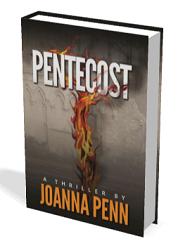 Please come and check out the Pentecost Novel page and download free chapters if you like thriller novels.


really great tips! Funny – I am not html savvy either and I figured out to create it on my wordpress blog, just like you! I just did it in November.
I’m going to create another page for my ebook, The Feng Shui Advantage: Practical Business Strategies. I’ll post the url later.
ok. Here it is! Only took a couple of hrs – even less.
http://www.facebook.com/pages/The-Feng-Shui-Advantage-eBook/114682618603948?v=app_4949752878
Thanks Joanna : )
That’s fantastic Maureen. It’s easy when you know how!
Hi – I did set up a Welcome page and new tabs – thanks! I’m only up to 19 fans so far – so the link is a bit long still, but here you go: http://www.facebook.com/gfogelstrom#!/pages/Global-Endeavors-Exposing-the-Good/165978230105712
I can’t believe I didn’t think of the copy/paste method! You can also do this in Dreamweaver, CODA, or any HTML generating program.
As always . . YOU ROCK!
Hi Joanna
I’ve finally dragged myself away from writing to study your fantastic blog and use your help to get some “extras” set up for “My French Revelation”. I have a lot to do!! cheers Gai
Hi Joanna,
Thank you for that comprehensive video. Listening to your explanations and following them to a tee really helped me over the hump. In the beginning working with FBML takes some getting used to especially because you have to keep on jumping back and forth. But now that I know how it works, it’s a piece of cake.
Judith van Praag – Dutchess Abroad is the first page I created. An umbrella for different projects. My focus right now is posting information about characters who inhabit my WIP (work in process) and the era the story of the novel “Forgiveness”. In retrospect I might have done better creating a page dedicated to the novel, but I’ll do that when it is going to be published. Or I’ll look into the possibility of changing the name.
Thanks again! Will pass on the love 🙂
Judith
Glad you found it useful Judith!
Hi Joanna, this is a great site. I just finished my web site for my book. I have an agent, but it’s not published yet. I wanted to create a FB page for it — do you recommend this now? Even though I’m not published? And is it connected to your author’s or personal FB page — or is PentecostNovel a separate page altogether?
Thanks for your help. I subscribed to your blog so I can get more info on the process.
Hi Marina,
yes I think it’s a good idea to create one now. It’s free and you can start building a fan base. You need a logon yourself i.e. a personal profile, then just follow the instructions above to create a new page. You only need one login but other people can Like your page or become your friend (on your personal profile). I keep mine separate.
So I have 3 pages – The Creative Penn, Mystery Thriller TV and Pentecost Novel PLUS/ I have my own personal profile Joanna Penn (which I use for family & old friends, not writing)
It’s actually easier to work out if you give it a go!
Have fun.
I found this code on facebook a freind gave it to me, he said just replace the urls with your own urls.
its free so tell every one. use it to build a fan page.
AUTORESPONDER HTML CODE GOES HERE
We want to share our vision of reaching out to the younger generation, through inspiration, to empower these young individuals into having strong, confident, and positive minds and prepare them for a bright future ahead. To promote education at a positive level. Let’s support and inspire children while in their developing years.
Facebook changes their design every 5 minutes! Check out this very helpful post from Mari Smith about the latest FAQs
http://www.marismith.com/15-frequently-asked-questions-about-facebook-pages/
Thank you! this was absolutely invaluable. there has been a change or two with FB (of course!) and they now only offer the iframe entrance point – but it is doable. Many, Many more steps to get it set up but once up – Voila! I added a Contents Page to my Personal Magic-Creativity & Spirit for Empowerment page. I will venture forth again with more tabs. THANK YOU.
Really great tutorial Joanna. was wondering if you were aware of the AuthorPages app on Facebook. its a free app designed specifically for authors that allows you to add features beyond “stock” facebook fan pages. in short you can showcase books, speaking schedules, audio, video, twitter and RSS feeds all in one place. http://www.authorpages.com or a simple facebook search for authorpages will direct you to the app. thanks again for this post!
Thank you so much for all this really helpful information. I was able to set up a fan site on fb for my upcoming novel here http://www.facebook.com/pages/The-Sin-Collector/198748323555693?sk=wall
As well as a regular website, and a twitter here. THANK YOU
http://thesincollector.weebly.com/index.html
Hi Joanna,
Thank you so much for the great tutorial!
Could you shave the link for the 3D book cover generator you used?
Thanks!
Joanna,
Another eminently useful post, for those of us who tread the same path after you.
Thanks again,
-Mycroft
Hi Joanne, your have a very good blog with lots of excellent advice. Facebook has changed its use of static FBML to use iframes. Therefore, I had some trouble downloading the suggested FMBL application. Your users can also consider searching for the “static html tabs” application on facebook. It provide similar results as suggested in your video. Of course, this information can change quickly. All the best. Gloria (May 2013)
Hi Gloria – yes, this post is WAY out of date now – 3 years old 🙂 and Facebook changes their design all the time. I suggest people use the time filter on Google search when looking for facebook type articles since their regular changes mean most technical articles about them are obsolete really fast!
These are in fact wonderful ideas in concerning blogging.
You have touched some fastidious things here. Any way keep up wrinting.