Self-publishing an ebook is free, fast, and you don’t need any technical skills.
In this guide, I’ll take you through how to self-publish an ebook step by step: why it’s worth doing, how to format your ebook file, whether to go exclusive with Amazon or publish wide, where to publish, what information you need, how to price your ebook, and how to sell ebooks direct to readers.
[This article is adapted from Successful Self-Publishing, Fourth Edition, which is also available as a free ebook.]
How to self-publish an ebook in 8 steps
- Understand why ebooks are worth it
- Get your book ready: editing and cover design
- Format your ebook file
- Decide between KDP Select or going wide
- Choose where to publish your ebook
- Enter your book details and upload
- Set your ebook price
- Sell ebooks direct to readers
Plus answers to common questions, including whether you can publish an ebook for free, whether you need an ISBN, and how much you earn per ebook.
 (1) Understand why ebooks are worth it
When authors think about publishing a book, they often focus on print, but putting out an ebook alongside your print book, or even just an ebook on its own, is a great idea.
Here’s why.
(a) Ebooks are lower risk and cost nothing to publish
It’s free to self-publish on the major ebook platforms. The stores take a percentage of each sale, so they only make money when you do.
You will want to invest in editing and cover design, but the publishing itself is free, and there are no printing or shipping costs, so there’s more profit per ebook.
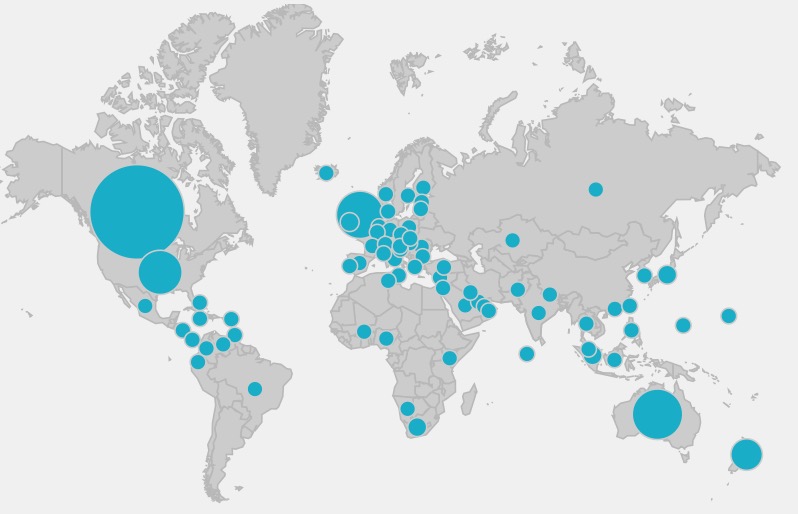
(b) Readers can buy instantly, anywhere in the world
Readers can buy your ebook the moment they hear about it, so the barrier to purchase is lower. You can sell to readers in every country without printing or shipping anything. You really can have a global business from your writing desk, which is exciting!
(c) You control when and how readers get your book
Once you click Publish, your ebook is usually for sale within four to twenty-four hours. You can also update the file whenever you like, whether that’s fixing a typo, adding links to your new books, or changing the cover.
Hopefully, you’re now convinced that you need to publish an ebook. So, how do you get started?
(2) Get your book ready: editing and cover design
Before you publish, make sure your book is the best it can be.
A professional editor can improve your book in many ways, and your cover is your single biggest sales tool, so professional design is money well spent.
You can find my list of recommended editors here and recommended book cover designers here.
You’ll also need your sales description, categories, and keywords. Here’s how to choose book categories and keywords.
(3) Format your ebook file
 Once your manuscript is edited and proofed, you need to turn it into a formatted ebook file to load onto the publishing platforms.
This is your finalized manuscript in ePUB format, which works for Amazon Kindle as well as all the other stores.
You can learn how to do it yourself, as I do, or pay a professional to format your book.
Why learn to format your ebook yourself?
One reason I like to keep formatting in my control is that we often change our ebooks over time.
If I find a typo or want to change a link, it’s easy to fix. If I put out a new book in a series, I can update the back matter of the previous books. If I change my cover, I can just update the file and republish.
When you control the formatting, you can make changes easily, quickly, and for free. If you outsource, you’ll need to pay for updates, and it won’t be as fast.
Do-it-yourself formatting: Vellum and Atticus
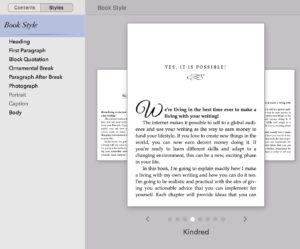 The two main software options most indie authors use are Vellum and Atticus, which both make it easy to create beautiful ebooks and print books.
Vellum is Mac-only, and Atticus is browser-based, so you can use it on any computer. I’m on Mac, so I use Vellum, but I recommend both.
 Click here for my tutorial on how to format your ebook and print book using Vellum.
Help with formatting
If you want help, Draft2Digital can create an ebook from a Word document.
If you want to outsource formatting altogether, you can find a vetted freelancer at Reedsy, or check out my list of formatting resources. When hiring a formatter, ask about turnaround time, update fees, and which file formats they provide.
If you have books in print from previous publishing deals and you have the rights back, but no longer have the original files, you can have them scanned back into Word and produce an ebook from that.
Many authors who had deals more than fifteen years ago may own their ebook rights, so it’s worth checking your contracts.
Images and accessibility
If you have a lot of images or complicated tables, you may have some challenges with ebook formatting, and you’ll have a bigger file.
Amazon charges a delivery cost based on file size, so big images can eat into your royalties. If you write children’s books, digital comics, or other image-heavy or fixed-layout books, consider Amazon Kindle Create.
If you’re writing non-fiction with images, consider whether you really need them. Could you link to a download page on your website instead? Whatever you use, make sure you have the correct licensing and permissions in place.
Make sure your ebook can be read by everyone. If you include a map or diagram, add alt text describing what’s in the image.
Don’t hard-code fonts, as some readers change to a font that is easier for them to read, and avoid color-only cues like ‘items in red are the most important.’
(4) Decide between KDP Select or going wide
Before you publish your ebook, you need to decide where you will publish it, and which readers you want to reach.
You can publish on Amazon KDP as well as all the other platforms at the same time, but Amazon also offers KDP Select, which requires you to sell your ebook only on Amazon.
If you opt in, your ebook is included in Kindle Unlimited (KU), a subscription service where readers pay a monthly fee and borrow books. You’re paid from a monthly pool based on pages read, which fluctuates every month.
You opt in for ninety days at a time, so you can put a book in KU for a period and then take it wide later.
The benefits of exclusivity with KDP Select
It’s much easier to focus on one platform, especially as a new author.
KU readers can try your work without buying from an unknown author, and you get promotional tools like five free days or a Kindle Countdown Deal during each ninety-day period.
If you only have one book and are just starting out, it’s definitely worth using KDP Select for at least the first ninety days.
It can also work well if your series fits a niche genre with voracious KU readers.
The downsides of exclusivity
The biggest risk is dependency on one platform. Amazon sets the size of the fund and the per-page rate, and one change can significantly affect your income.
You also miss out on readers at other stores, in libraries, in many international markets, and through your own store.
Going wide
Publishing wide means your ebook is available on every platform, in every country, and in libraries, and you can sell direct as well.
If you have multiple books in a series and you want to make a living with your writing for the long term, going wide with at least some books is the best idea, in my opinion.
You’ll reach more readers, build a more resilient business, and you can use non-exclusive subscription programs like Kobo Plus. The challenge is that you need to update files and market to readers across different stores, and it can be slower to gain traction.
Your decisions aren’t permanent. I have some books in KU, including my stand-alone fiction, my British crime thrillers, my translations, and my mum’s sweet romances, which she writes as Penny Appleton.
Most of my other books are wide.
(5) Choose where to publish your ebook
 If you go wide, you have a second choice: upload directly to each store, or use an aggregator that distributes your ebook to many stores at once.
The main sites for publishing your ebook direct are:
The main ebook aggregators are:
- Draft2Digital, which acquired Smashwords in 2022
- StreetLib
Uploading to each store means higher royalties, more control over your book details, and access to store promotions.
Using an aggregator means one upload reaches dozens of stores, libraries, and subscription services, with a single payment and less paperwork. As your backlist grows, that can save a lot of time.
If you want help along the way, Draft2Digital offers self-publishing with support, and you keep control of your rights. There’s no upfront payment and they take a percentage of each sale.
Personally, I publish direct to Amazon KDP, Kobo Writing Life, and Google Play Books, because I want to control my biggest income sources and take advantage of their promotions.
I use Draft2Digital to reach Apple Books and the other stores, and I also sell direct through my own stores.
(6) Enter your book details and upload
Each platform has a similar set of fields, even if they look slightly different.
None of them require programming or any kind of deep technical ability. If you can use Google and Word, you can self-publish your ebook!
The best way to learn is to set up an account and have a go. If you have all the information ready, it won’t take long to get your book out into the world. Here’s what you’ll need.
Language. Most of your books will probably be in English, but I’ve also self-published in French, German, Italian, and Spanish, and many authors now self-publish in other languages.
 Book title. Enter the exact title as shown on your cover. Don’t ‘stuff’ keywords into the title field, as indie authors have been penalized for it. If it’s not on the cover, don’t include it.
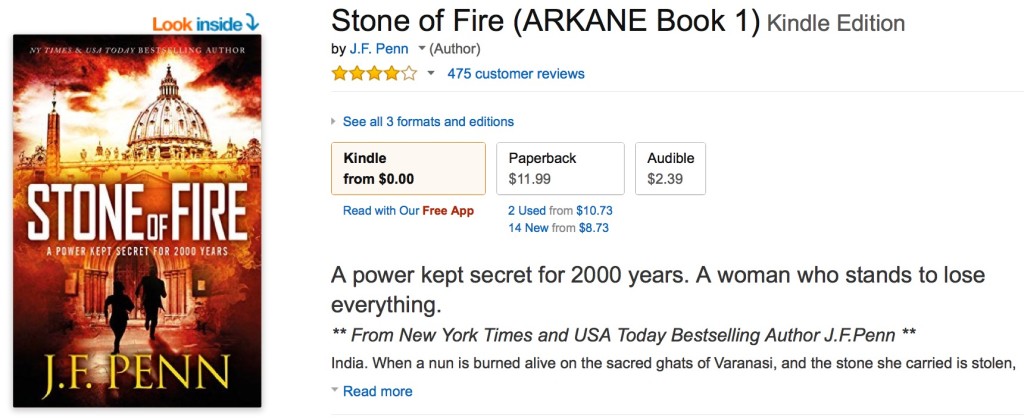
You can change your title if you rebrand later, as I did with my first novel, Pentecost, which I rewrote and republished as Stone of Fire. Here’s my experience of changing book titles and covers.
Subtitle. Optional, and more often used for non-fiction. It can include relevant keywords, but make sure it appears on your cover too.
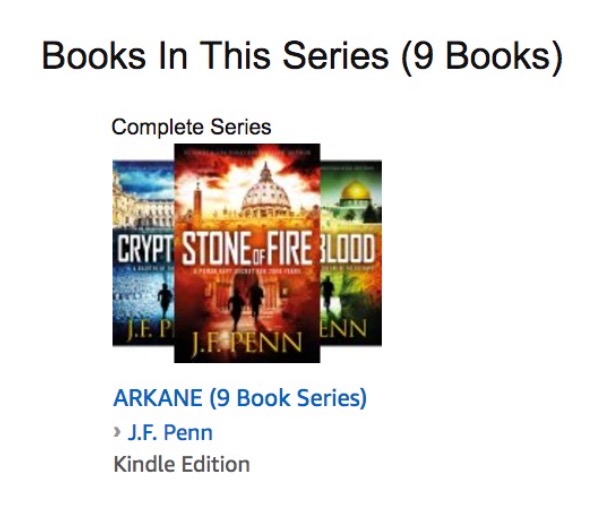 Series title and volume. Books in a series are linked together on the stores, and readers are shown the other books when they finish one. This is a powerful way to sell more books, so definitely use it.
You can also use a series for non-fiction to group books for the same audience. You don’t need the series name on your cover.
Edition number. If you substantially update a book, you can use a new edition number. This is particularly useful for non-fiction.
Author and contributors. Your author name, which may or may not be your real name. I publish as Joanna Penn for non-fiction and J.F. Penn for fiction. You can also add co-authors, translators, and other contributors.
Sales description. The book description that sells your book to readers.
Publishing rights. For your own books that you haven’t licensed to a publisher, select that you own the copyright and hold the necessary publishing rights.
Primary audience and marketplace. You’ll be asked whether the book is sexually explicit, and you can add an age range for children’s books. On Amazon, you also choose the store where you expect the most sales, which sets the currency your other prices are based on.
Categories and keywords. Add the categories and keywords you’ve researched. You can change them later.
Pre-order. You can make your book available for pre-order before release day. This is particularly good for books in a series, as readers can order the next one as they finish the last.
Make sure you deliver on time, or the stores can stop you using pre-orders for a period. If you don’t want a pre-order, choose to release your book now.
Manuscript and cover. Upload your ePUB file and your cover image. You can upload a new file whenever you need to, which is a real benefit of self-publishing.
AI-generated content. Many platforms now ask you to disclose whether you used AI tools for the text, images, or translation. Amazon KDP has a mandatory disclosure question. I’ve always declared my AI usage and have not found it an issue.
Preview. Check your file in the previewer before you publish. If there are problems, fix the file and upload it again.
ISBN. Optional for ebooks. The stores all have their own identifiers, and Amazon uses an ASIN for Kindle books. If you have your own ISBNs, you can use one here.
You can use the same ISBN for the same ebook on every store, but a paperback needs a different one. Here’s more on ISBNs from the Alliance of Independent Authors.
Publisher. Optional. It can be your company name, an imprint name, or blank. Readers don’t shop by publisher, and you don’t need a company to self-publish.
KDP Select or Kobo Plus. Opt in if you choose exclusivity with Amazon. Kobo Plus is a non-exclusive subscription program, so you can still publish everywhere else.
Territories. If you hold all the rights, select worldwide. If you’ve licensed your book to a publisher in some territories, you may be able to self-publish in the others.
Pricing. Covered in the next step.
Then click Publish, or submit for pre-order. The ebook will go through processing and usually appears on the stores within four to twenty-four hours.
Super exciting!
 (7) Set your ebook price
 (7) Set your ebook price
New authors often agonize over pricing, but remember that you can change the price anytime, so start with a standard price for your genre and adjust if it’s not working.
Set country-specific prices
Most stores let you set a price for each country, and it’s worth doing this rather than relying on automatic exchange rates.
If you price at US$4.99 and leave the UK price to calculate automatically, readers might see £3.21, which looks odd. It’s better to set it to £2.99 or £3.49, which readers are used to seeing.
Know the royalty bands
Amazon pays a 70 percent royalty on ebooks priced between US$2.99 and $9.99, and 35 percent outside that range.
Other stores don’t have these restrictions. Amazon also shows a small delivery charge based on your file size. If it’s more than ten cents, see whether you can compress your images.
If you publish through the stores and aggregators, they handle digital VAT for you. If you sell direct, you need to handle it yourself.
Use pricing as a marketing tool
The more books you publish, the more flexibility you have with pricing, and the less emotionally attached you’ll be to any individual book.
- Free first in series. If you’re wide, you can set the price to free on the other stores and Amazon will usually price match. I kept my first ARKANE thriller, Stone of Fire, free for years to bring readers into the series. If you’re in KDP Select, you can use five free days every ninety days instead.
- Limited-time discounts. Drop the price to 99 cents and promote the sale to introduce your books to readers who might hesitate to try a new author at full price.
- Bundles. If you have books in a series, sell a bundle at a great price, giving readers value and you more money, especially if you sell direct.
Consider the value to the reader, and what other books in your genre cost.
If the leading authors in your genre price their ebooks at $4.99, you’ll struggle to sell your first novel at $9.99.
(8) Sell ebooks direct to readers
As well as publishing on the stores, you can sell ebooks direct from your own online store. You get faster payments, much more money per book (over 90 percent for digital products), and you can offer bundles and special editions you can’t buy anywhere else.
There are simple options that handle taxes for you, like Payhip and Gumroad, through to Shopify or WooCommerce. BookFunnel delivers the ebook files to readers’ devices and handles customer support.
I have two stores built on Shopify: CreativePennBooks.com for my books for authors, and JFPennBooks.com for my fiction and memoir. Both use BookFunnel for ebooks and audiobooks.
Selling direct takes some setup, so it might be a lot if you’re just starting out, but it’s definitely worth looking into once you’re more established. For tips, check out my resources on selling direct.
Frequently asked questions about self-publishing an ebook
Can I publish an ebook for free?
Yes. Publishing an ebook on Amazon KDP, Kobo Writing Life, Apple Books, Google Play Books, Barnes & Noble Press, and aggregators like Draft2Digital is free. The stores take a percentage of each sale instead.
Your main costs are editing, cover design, and marketing, and you can keep these down by learning skills and using tools as you go.
How much does it cost to self-publish an ebook?
It depends on how much help you pay for.
As a rough guide, editing is often US$500 to $3,000 for a full manuscript, a premade cover is around US$30 to $60, a bespoke cover around US$100 to $600, and professional ebook formatting around US$50. Formatting software like Vellum or Atticus is a one-time cost, so it gets cheaper per book the more you publish.
How much do you earn from an ebook?
Amazon pays 70 percent on ebooks priced between US$2.99 and $9.99, and 35 percent outside that range. Kobo and Apple Books pay 70 percent, Google Play pays around 70 percent, and aggregators take a small cut on top. If you sell direct, you keep over 90 percent after payment fees.
Kindle Unlimited pays per page read from a monthly fund.
Do I need an ISBN for an ebook?
No. You don’t need an ISBN to publish an ebook, as the stores use their own identifiers. If you want to use your own, one ISBN covers the same ebook edition across all stores.
What file format do I need for an ebook?
ePUB. You can upload an ePUB file to Amazon KDP and all the other stores. Formatting software like Vellum and Atticus creates ePUB files for you.
How long does it take for an ebook to go live?
Usually four to twenty-four hours after you click Publish, although it can occasionally take longer.
What about ebook piracy?
 I always get asked about piracy when I speak about ebooks.
Most readers are not pirates. They are wonderful people who are happy to support authors, so don’t miss out on the real market for fear of the few.
Piracy tends to happen when a book is popular, and most people who pirate books would not have bought them anyway. For most authors, obscurity is a far bigger problem than piracy.
Stay aware, and use the stores’ and your aggregator’s takedown processes if you find a pirated copy.
OK, we’re done. Now you can go and self-publish an ebook!
If you want to publish in print too, here’s how to self-publish a print book, and click here for more articles on publishing.
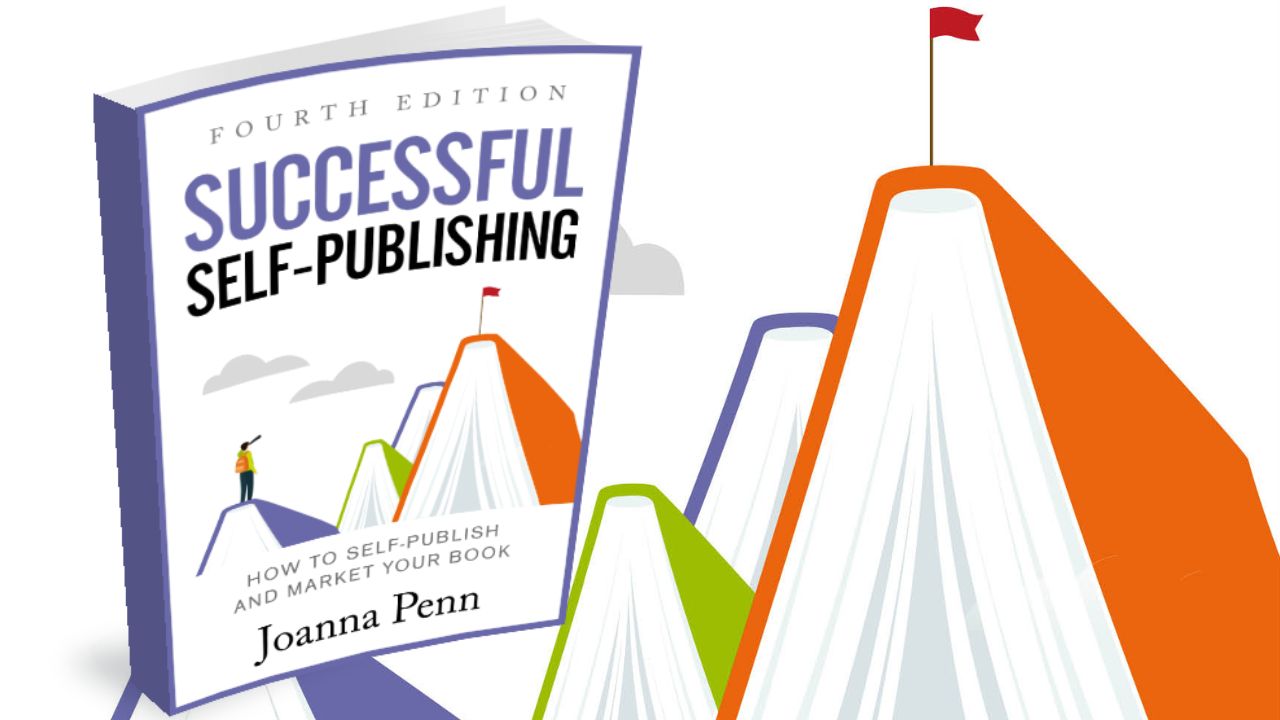
Everything in this article, plus print, audiobooks, and book marketing, is covered step by step in Successful Self-Publishing, Fourth Edition.
You can also get it as a free ebook.
 Need more help?
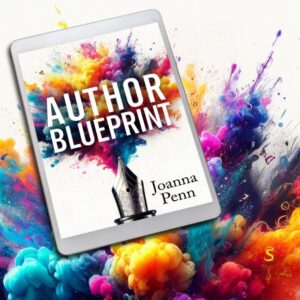
Click here to get my free Author Blueprint, an ebook that covers writing, publishing, book marketing, and making a living with your writing, along with regular emails to help you on your author journey.
Or, if you prefer audio, check out The Creative Penn podcast for weekly information and inspiration on writing, publishing, book marketing, and creative entrepreneurship.
If you have any questions, you can find me on X @thecreativepenn or contact me here.